 Doc Summary

To setup an email for abandoned cart notifications, store owners can configure it as follows:
Step 1: Create a New Email Template #
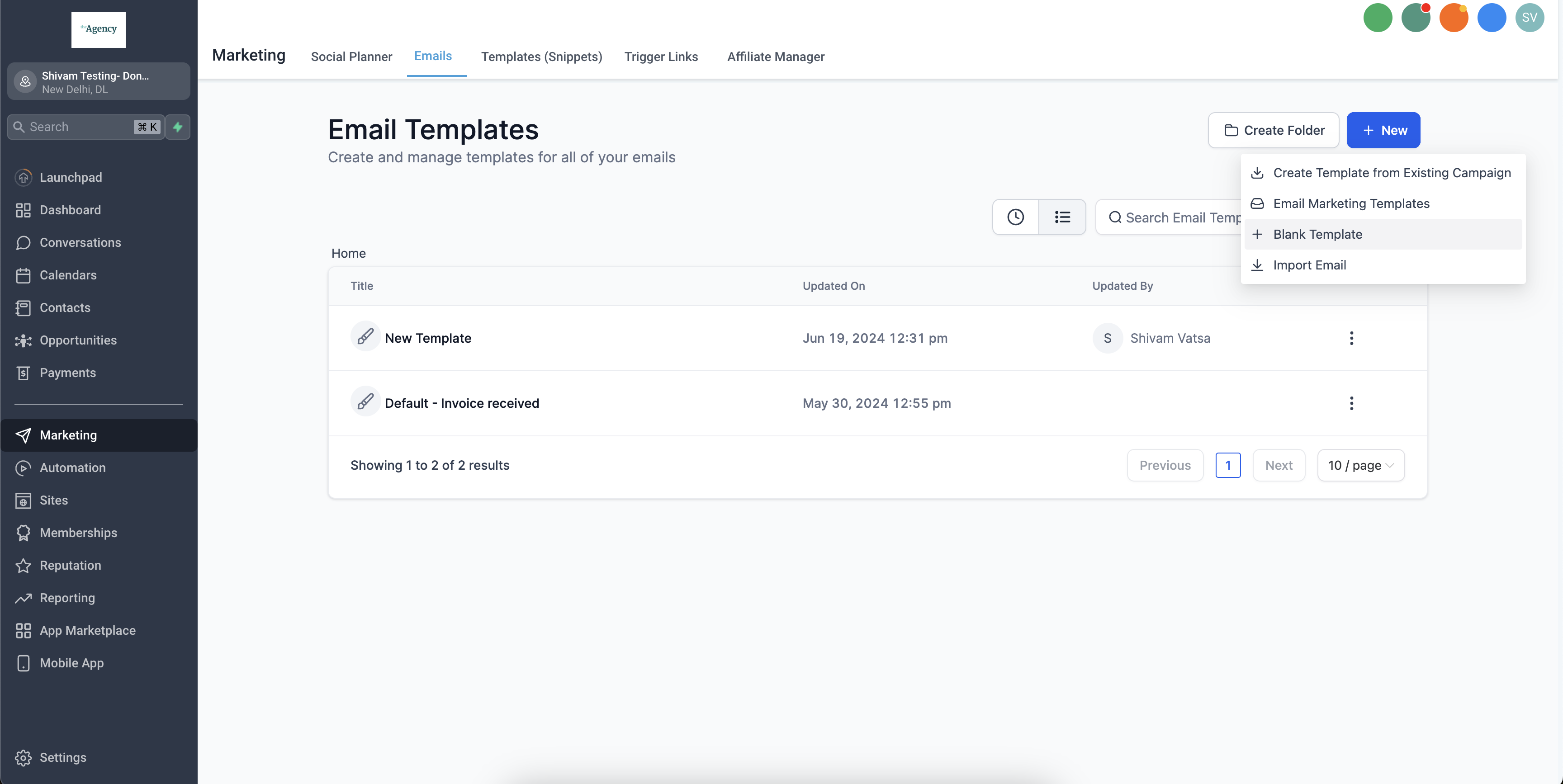
This can be accessed in: Marketing > Emails > Email Templates > “New” CTA. You can create from a Blank template or from a existing Template.
Step 2: Add Shopping Cart element to your email template #
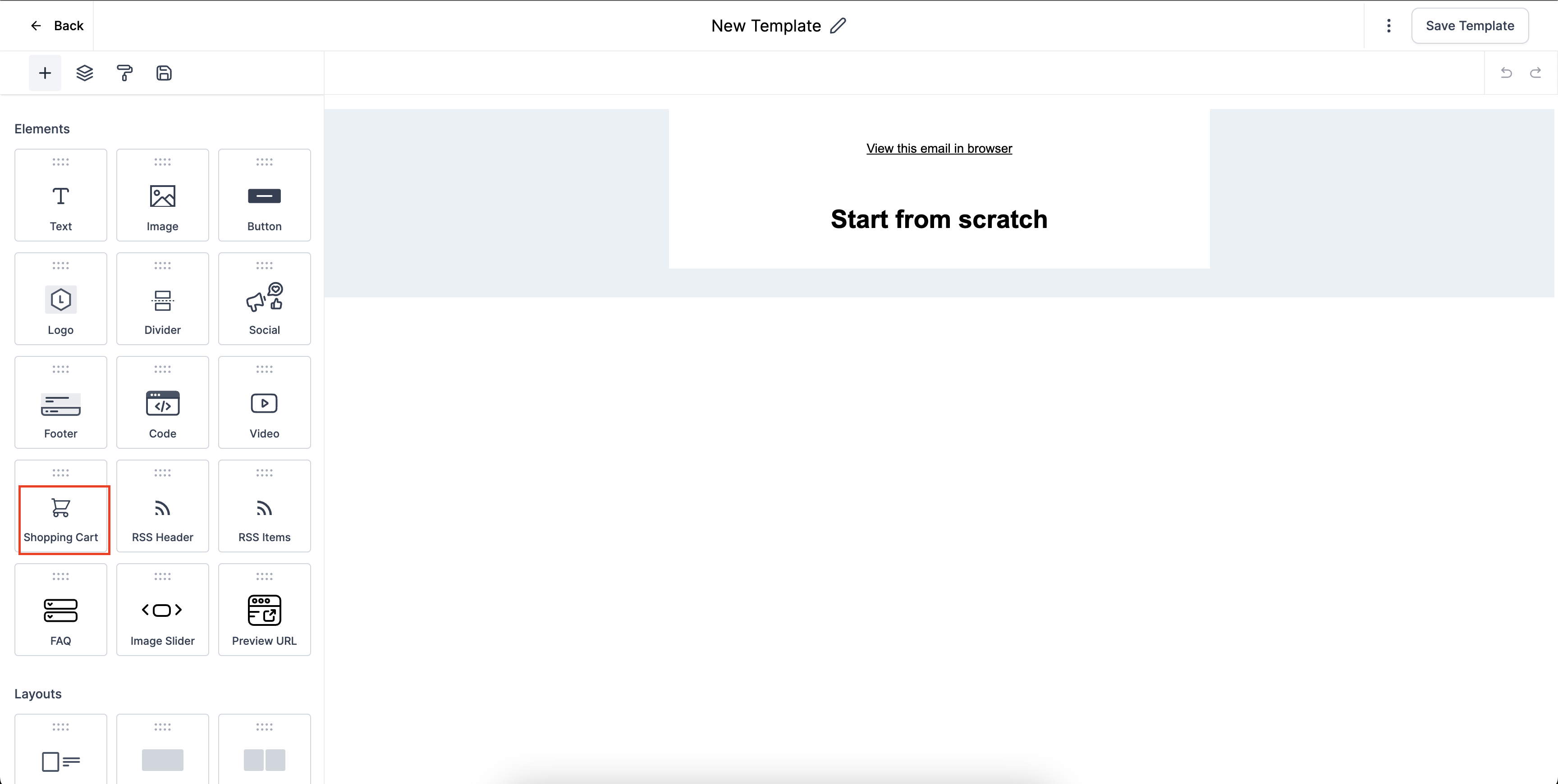
In the Add element section, drag and drop shopping cart element to the email template. This will populate the abandoned cart items in this section.
#
Step 3: Add text to your Email #
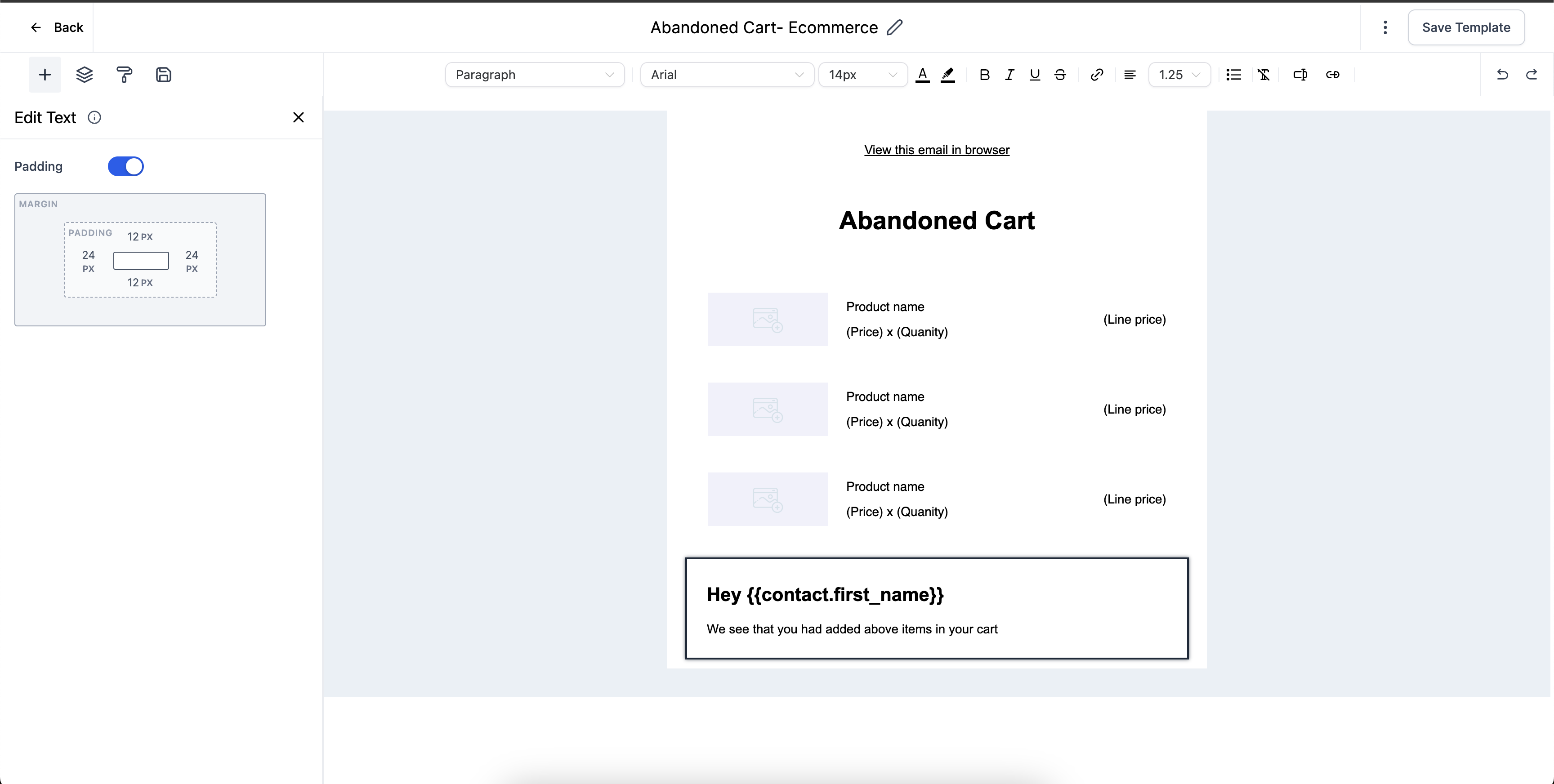
Custom values can also be added to the Email template where data will auto-populate. Post adding the details, save the email template.
#
Step 4: Choose the email saved template and apply #
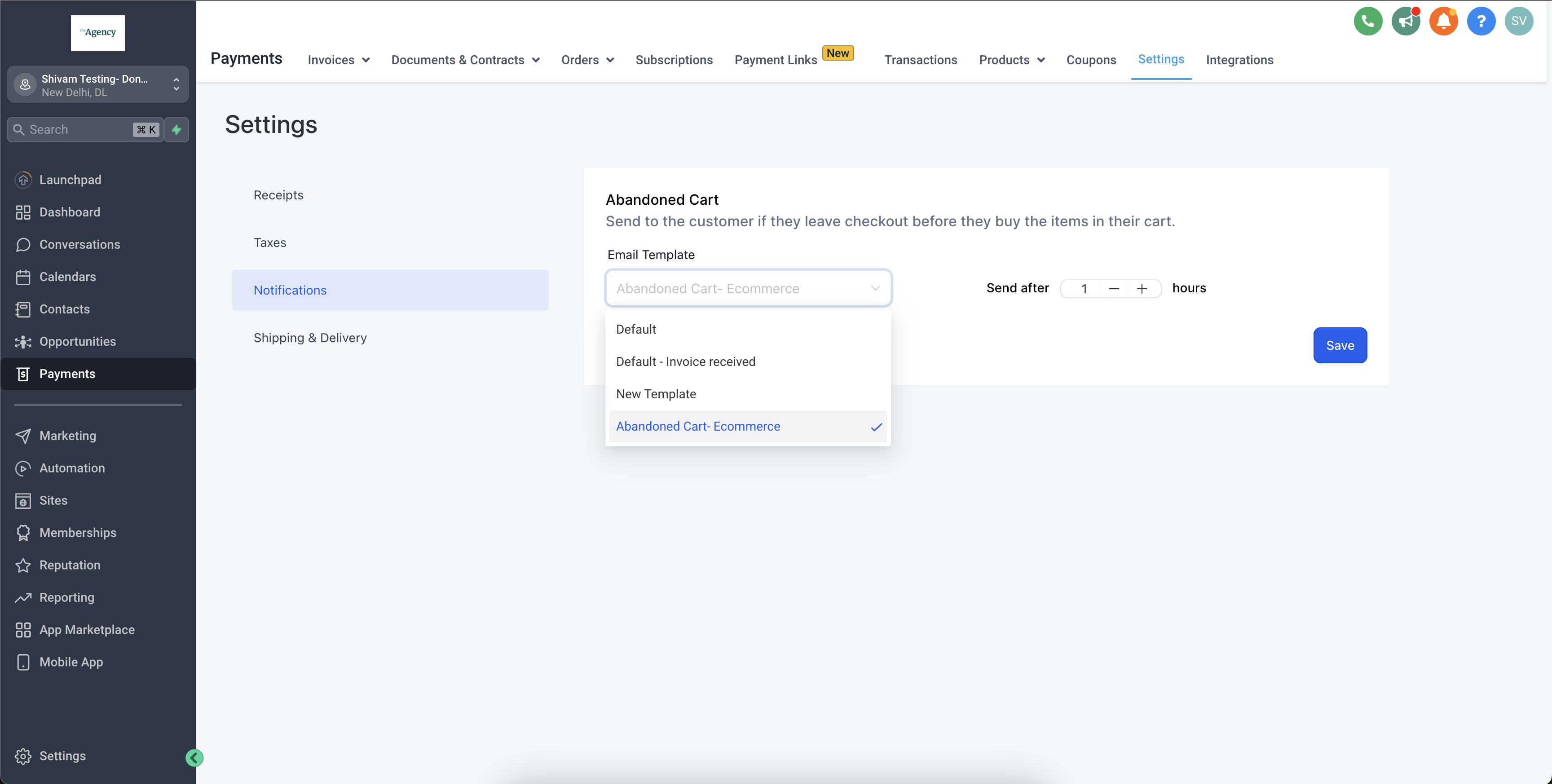
The last step is choosing the email template for sending the notifications. This can be implemented via: Payments > Notifications > Email Template > Choose the template. Also, setup the time duration after which the buyers receive the notifications.
Reference A


