 Doc Summary

SSO: Easy WP Admin Access #
The “WP Admin” button makes it super easy to log into your WordPress admin panel with just one click from your WordPress dashboard. Thanks to Single Sign-On (SSO), you don’t need to type in usernames or passwords — it’s fast and secure!
Key Features #
• One-Click Login: Open the WP Admin panel instantly by clicking a button from the WordPress dashboard.
• Single Sign-On (SSO): SSO lets you log in securely without showing your password.
• Seamless Integration: This feature works smoothly with WordPress and doesn’t need any extra plugins.
Why This Helps You #
This feature makes it easy to manage WordPress sites, especially if you work with many different websites.
• Easy for Agencies: If you’re an agency handling multiple clients’ websites, you can quickly open each WP Admin without remembering lots of passwords.
• Helpful for Site Owners: If you manage your own site, just one click takes you to WP Admin without needing to log in.
How It Works #
1. Go to Dashboard:
Log into Aiphilia and open the WordPress dashboard.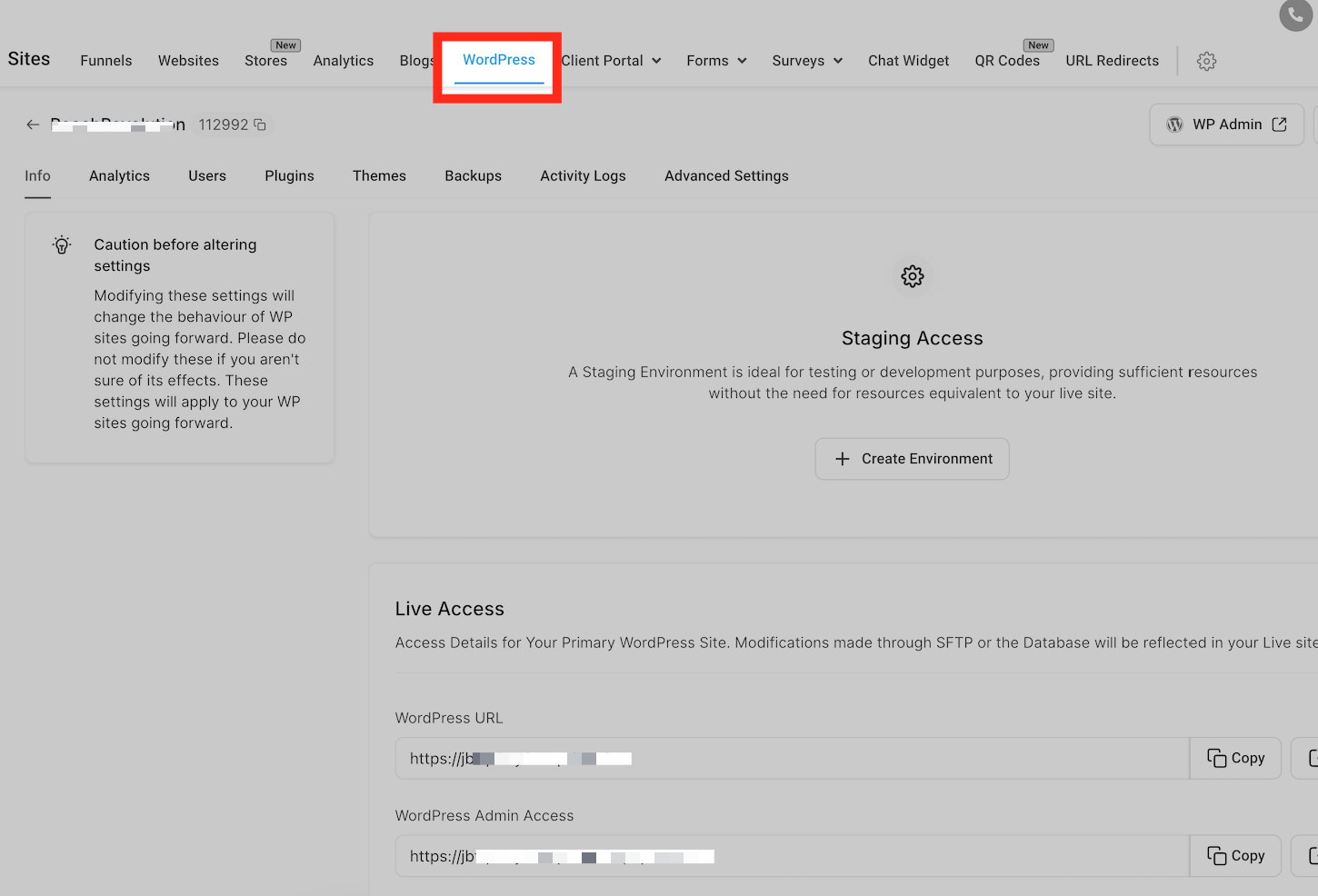
2. Find the Button:
You’ll see a “WP Admin” button next to each site.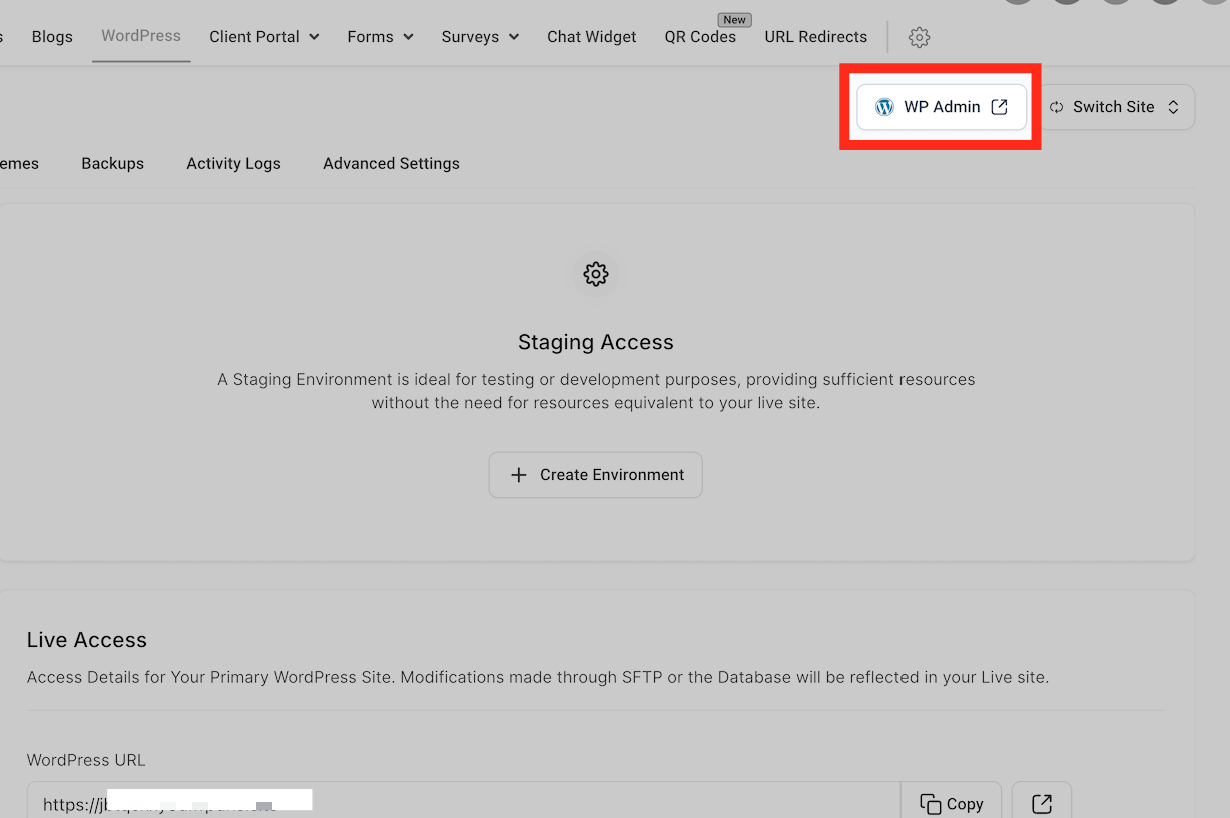
3. Click to Log In:
Press the button, and you’ll go straight to WP Admin.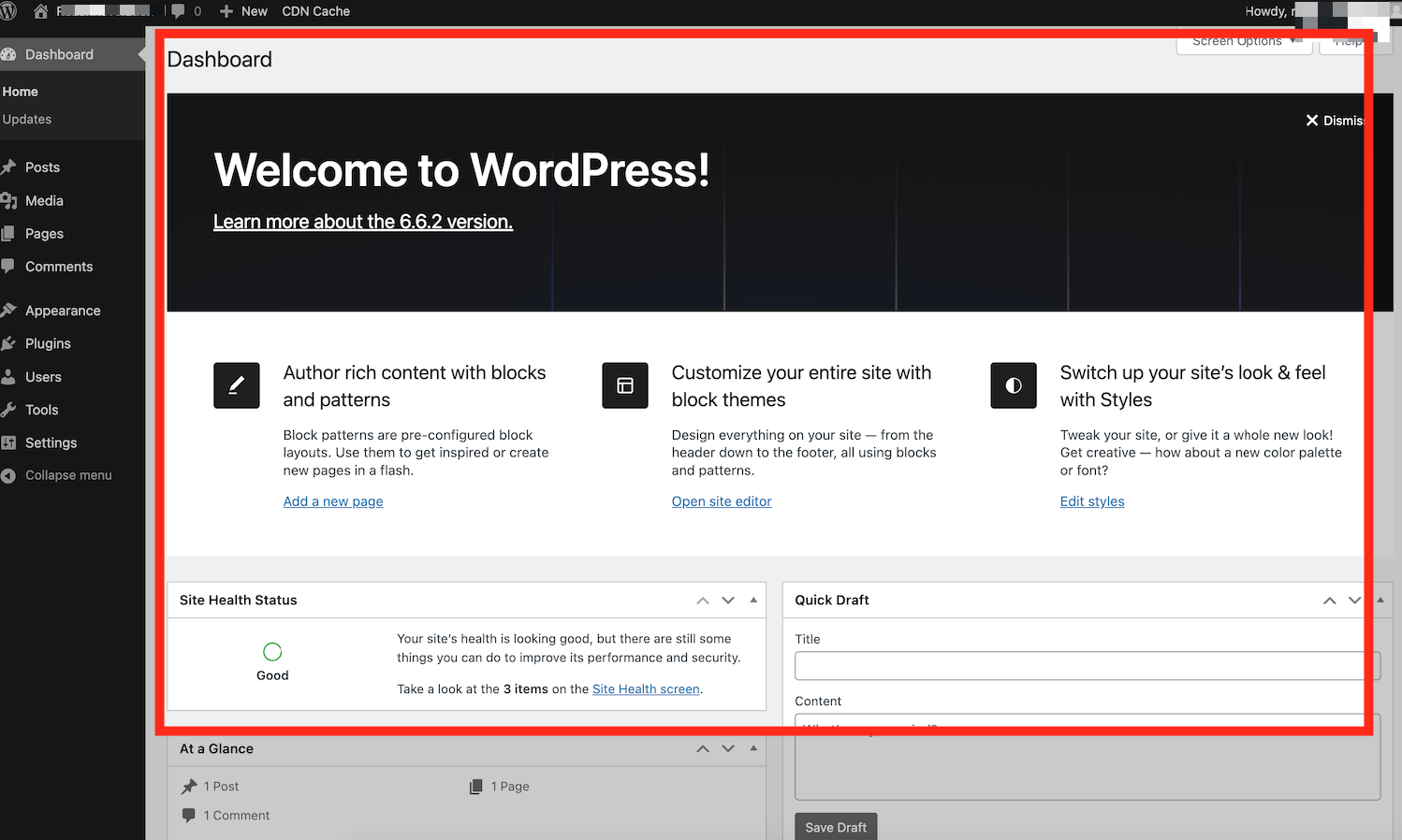
Now you can easily manage your WordPress site from the admin panel with a simple, secure click! Single Sign On keeps your login safe, without needing a password.


