Table of Contents
 Doc Summary

TABLE OF CONTENTS
- Overview
- Available Payment Types
- How It Works
- 1. Enable Manual Payments
- 2. Automatic Display in Forms & Surveys
- 3. Order Processing & Payment Collection
- Benefits & Use Cases
Overview #
We now support manual payments for selling products through forms and surveys. This feature allows businesses to accept offline payments and track order statuses seamlessly.
Available Payment Types #
- Cash on Delivery (COD): Customers pay in cash upon receiving their order.
- Custom Payment Methods: Includes bank transfers, checks, card payments, or other offline payment options.
How It Works #
1. Enable Manual Payments #
- Navigate to Payments > Integrations > Manual Payment Methods.
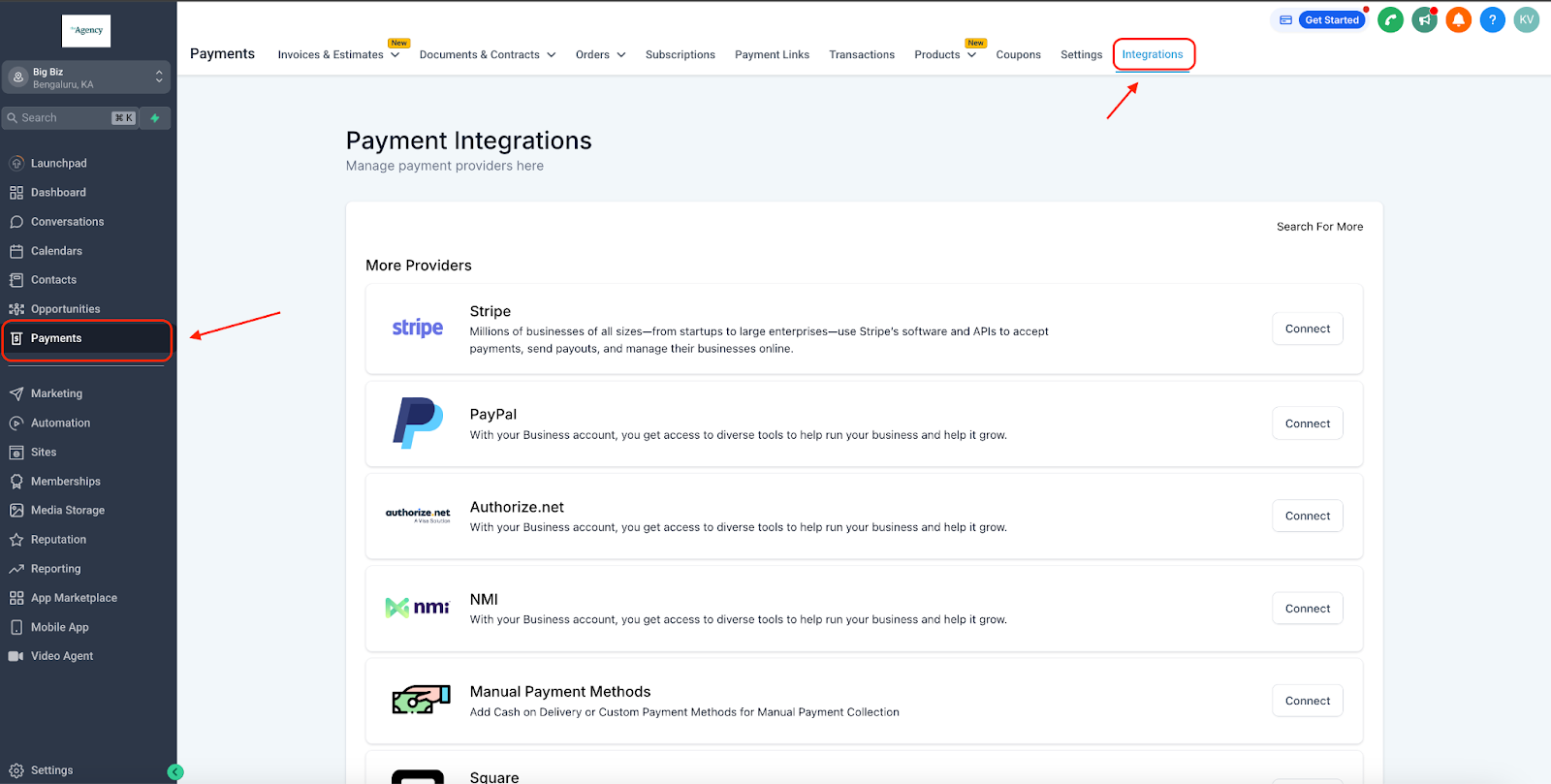
- Enable COD or Custom Payment Methods as needed.
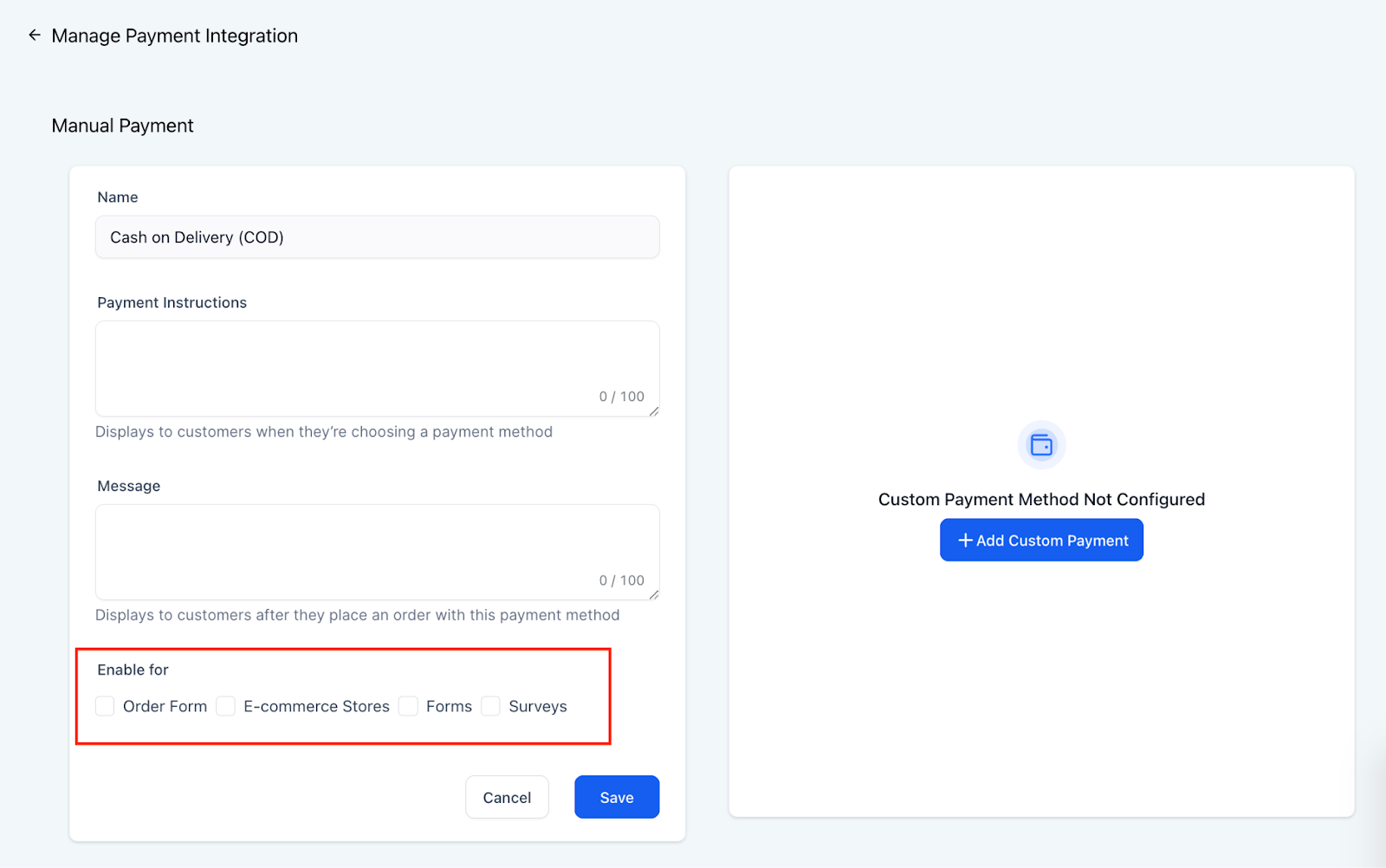
- Configure the description and post-purchase message for each payment type.
- Ensure the manual payment option is enabled specifically for forms and surveys.
2. Automatic Display in Forms & Surveys #
- When a user adds a product to a form or survey, the manual payment option will automatically appear in the payment selection.

3. Order Processing & Payment Collection #
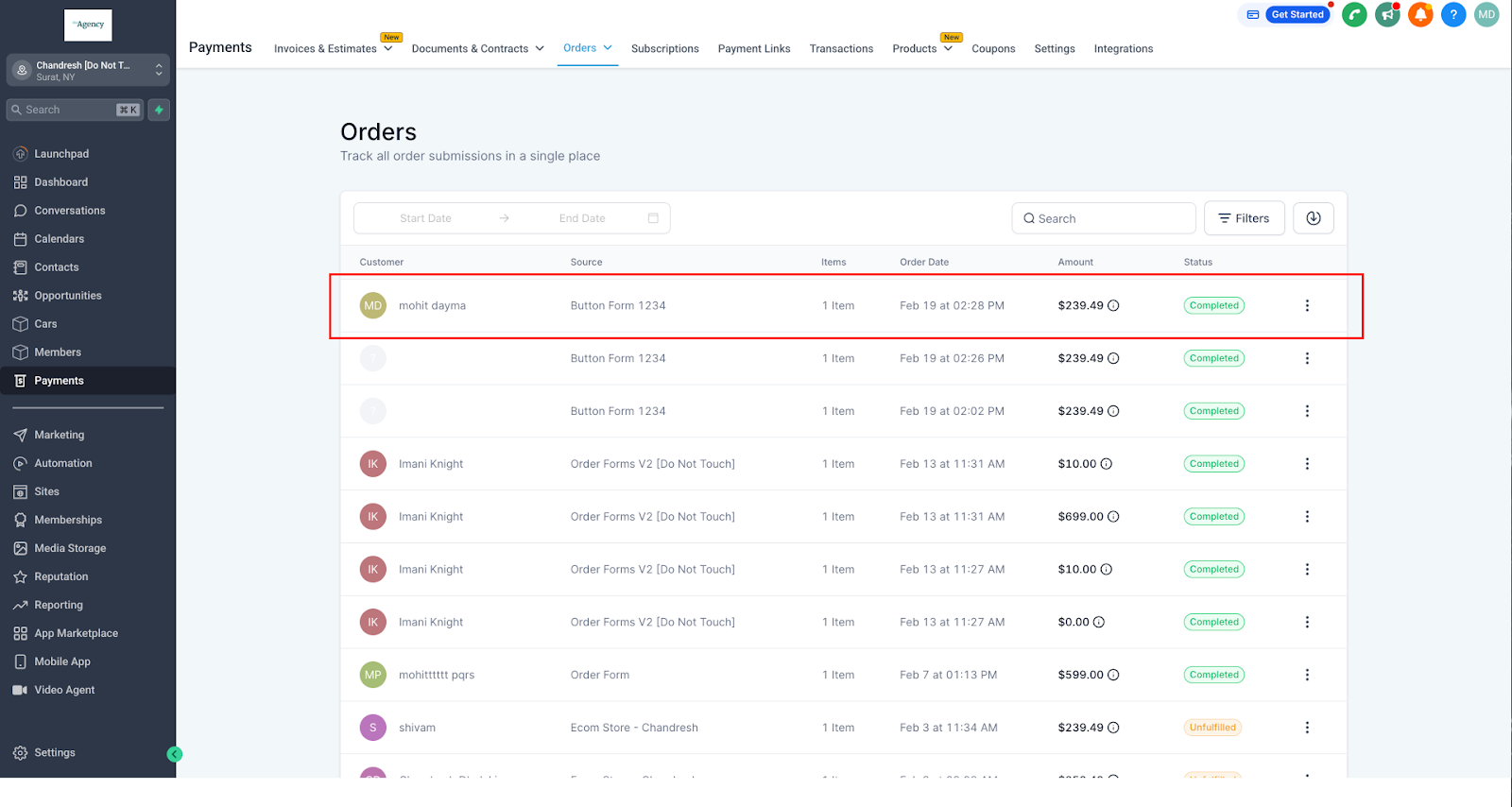
- When a user submits a form with manual payment selected, the order appears in Payments > Orders with a “Pending” status.
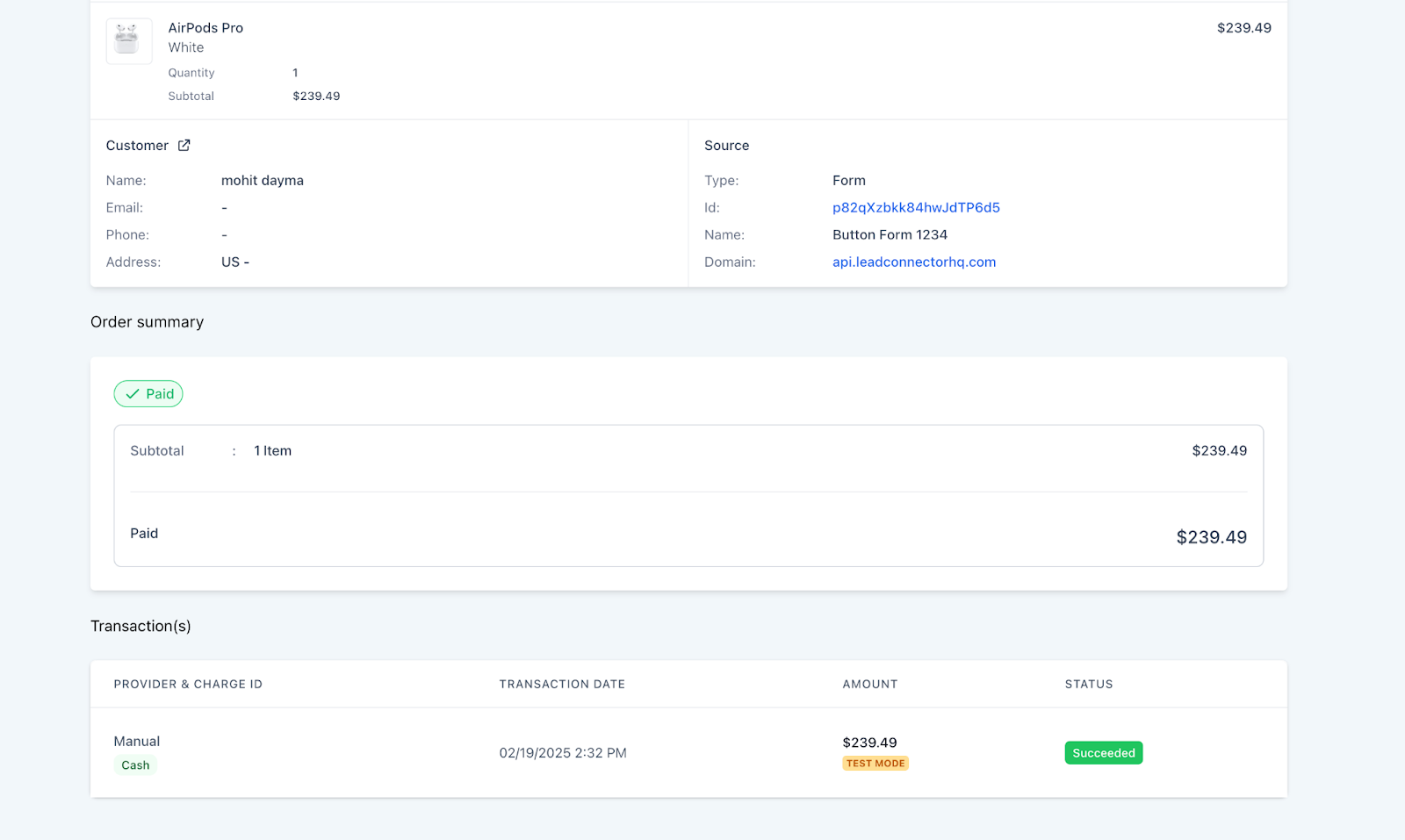
- Businesses can mark the order as paid and choose the payment mode (cash, card, check, bank transfer, etc.).
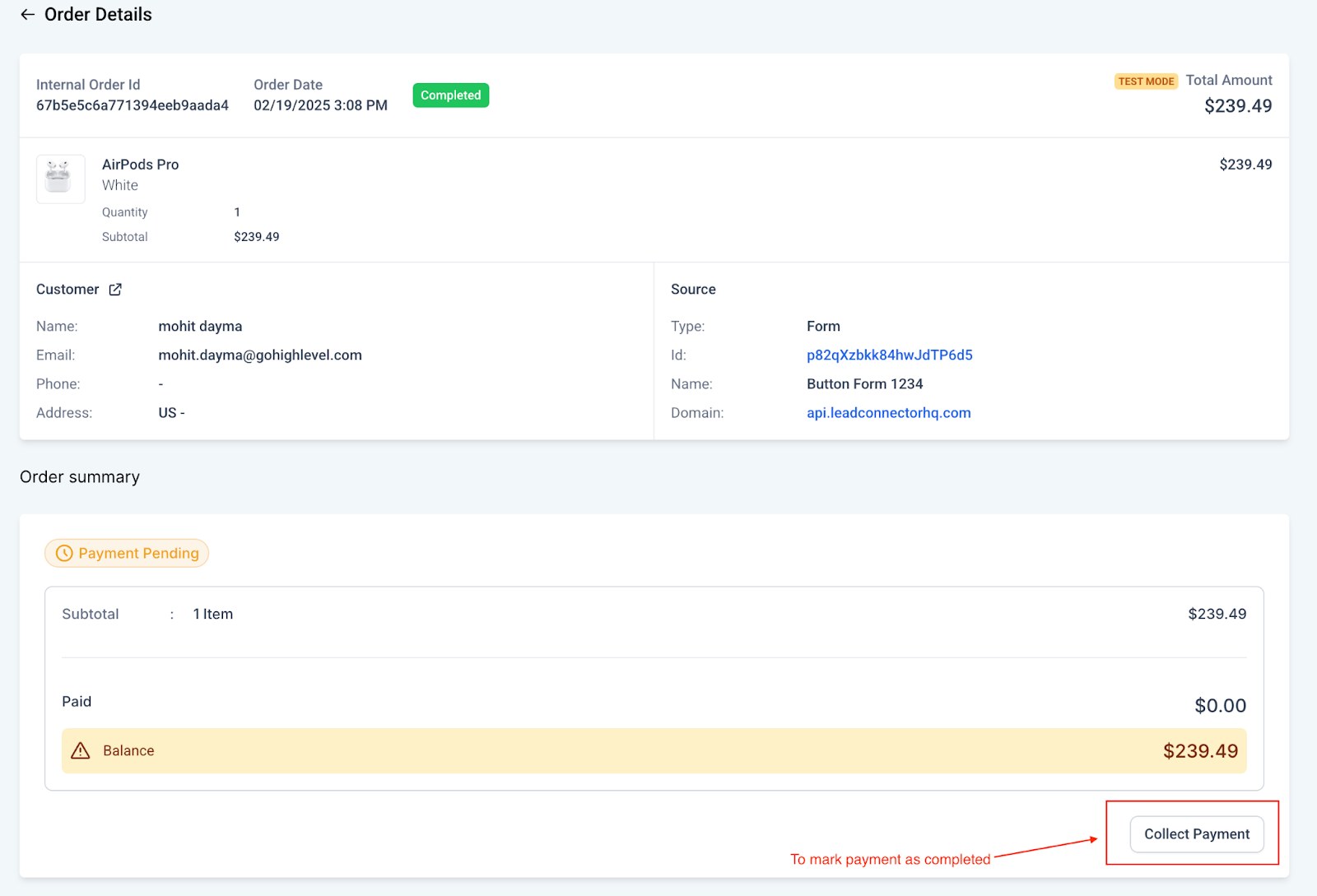
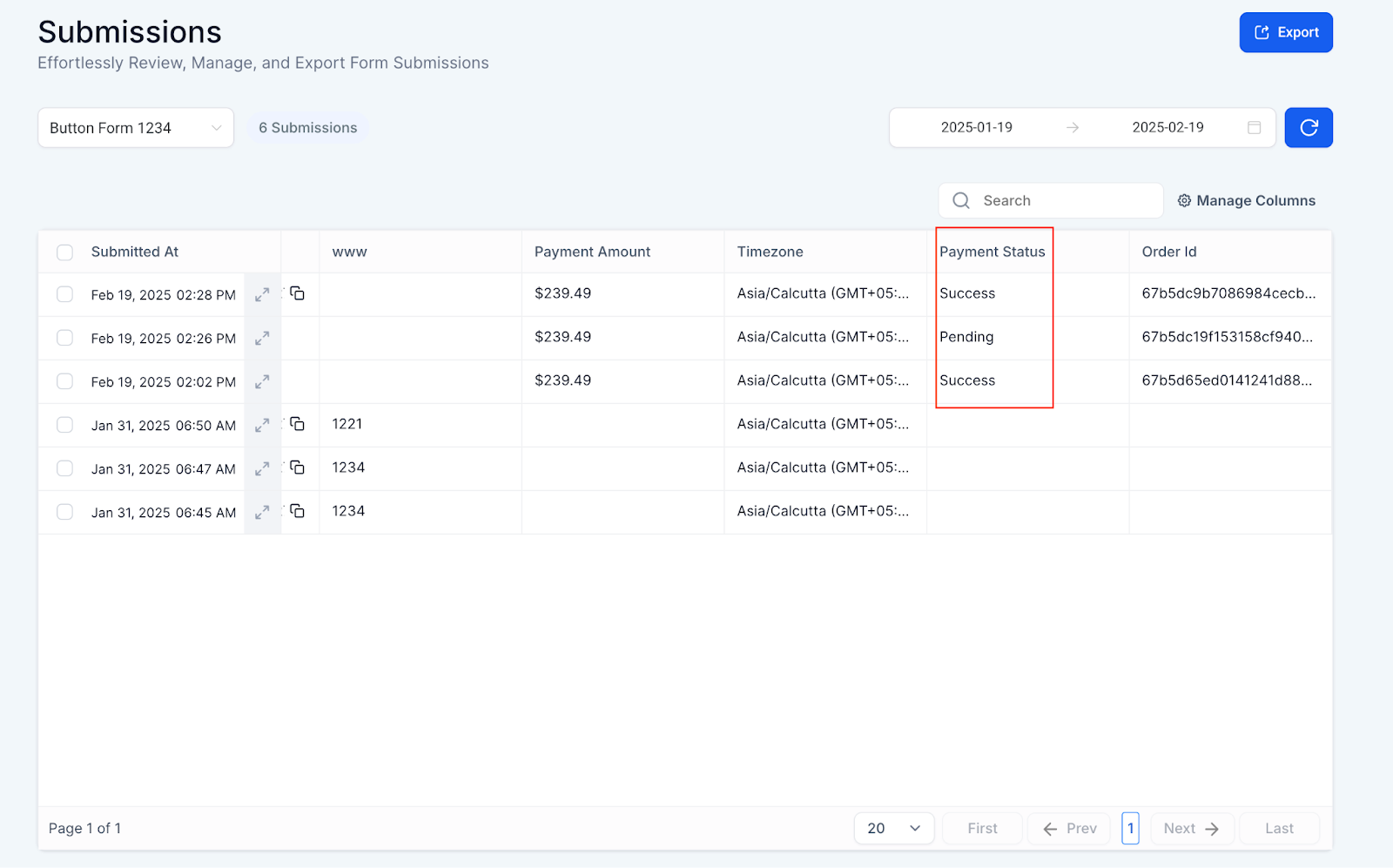
- The payment status update in the Orders section will sync with the Form Submissions section.
Benefits & Use Cases #
- Greater Payment Flexibility: Supports a variety of offline payment options.
- Seamless Order Tracking: Orders and payments are easily managed in a unified dashboard.
- Automatic Synchronization: Payment status updates reflect in both the Orders and Submissions sections.
- Ideal for Cash-Based Businesses: Suitable for businesses that handle cash or offline transactions.
By enabling manual payments, businesses can expand their payment options and provide a smoother experience for customers purchasing through forms and surveys.


